
Download Adobe Fresco – Digital Art, Drawing App, Painting App, Creative Tools
Overview
Adobe Fresco is a professional-grade drawing and painting application developed by Adobe, designed to empower artists across skill levels to create high-quality digital artwork. The app addresses the growing demand for accessible yet powerful creative tools that replicate real-world painting techniques in a digital environment. It serves both aspiring illustrators and seasoned digital artists seeking a reliable platform for expressive, studio-quality work.
By integrating advanced brush simulation with robust layer management, Adobe Fresco bridges the gap between traditional artistry and modern digital production. Its seamless compatibility with Adobe Creative Cloud enables users to maintain continuity across devices and workflows, making it a vital component in the digital creative ecosystem. The app is particularly valuable for freelance designers, concept artists, and students exploring digital media.
Real-world use cases include character design, concept art for games and films, and personal artistic expression. With its focus on realism and precision, Adobe Fresco stands out as a leading utility in the mobile productivity space, offering a portable creative studio for artists on the move. The developer did not provide additional technical details beyond the app’s core functionality.
Key Features & Functionality
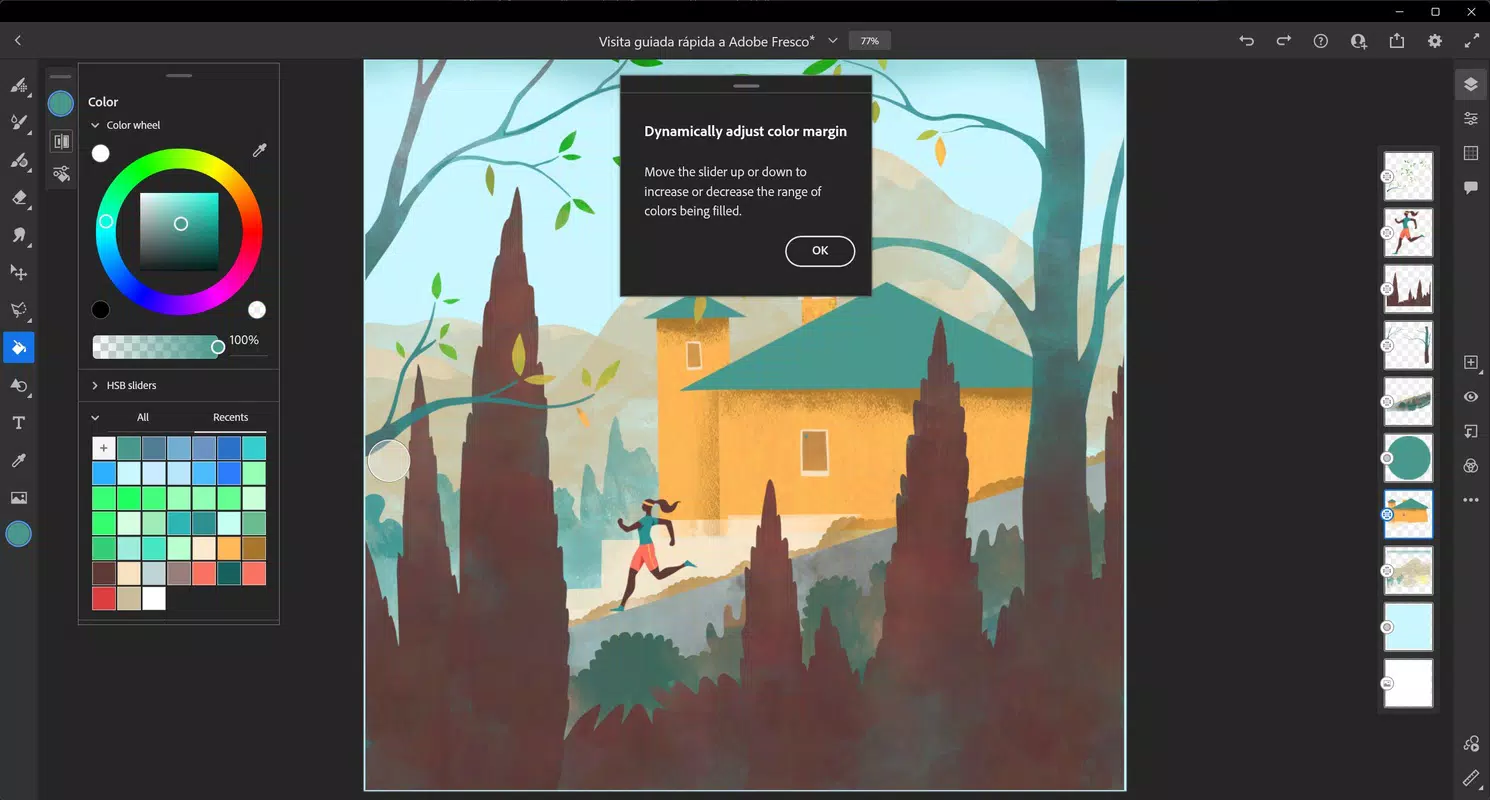
- Dynamic Brushes: Adobe Fresco features a comprehensive library of brushes that simulate the behavior of oil and watercolor paints with remarkable realism. Users can adjust parameters such as color flow, opacity, and pressure sensitivity to achieve lifelike textures and blending effects. This allows artists to replicate traditional painting techniques digitally, such as wet-on-wet watercolor blending or layered oil glazing.
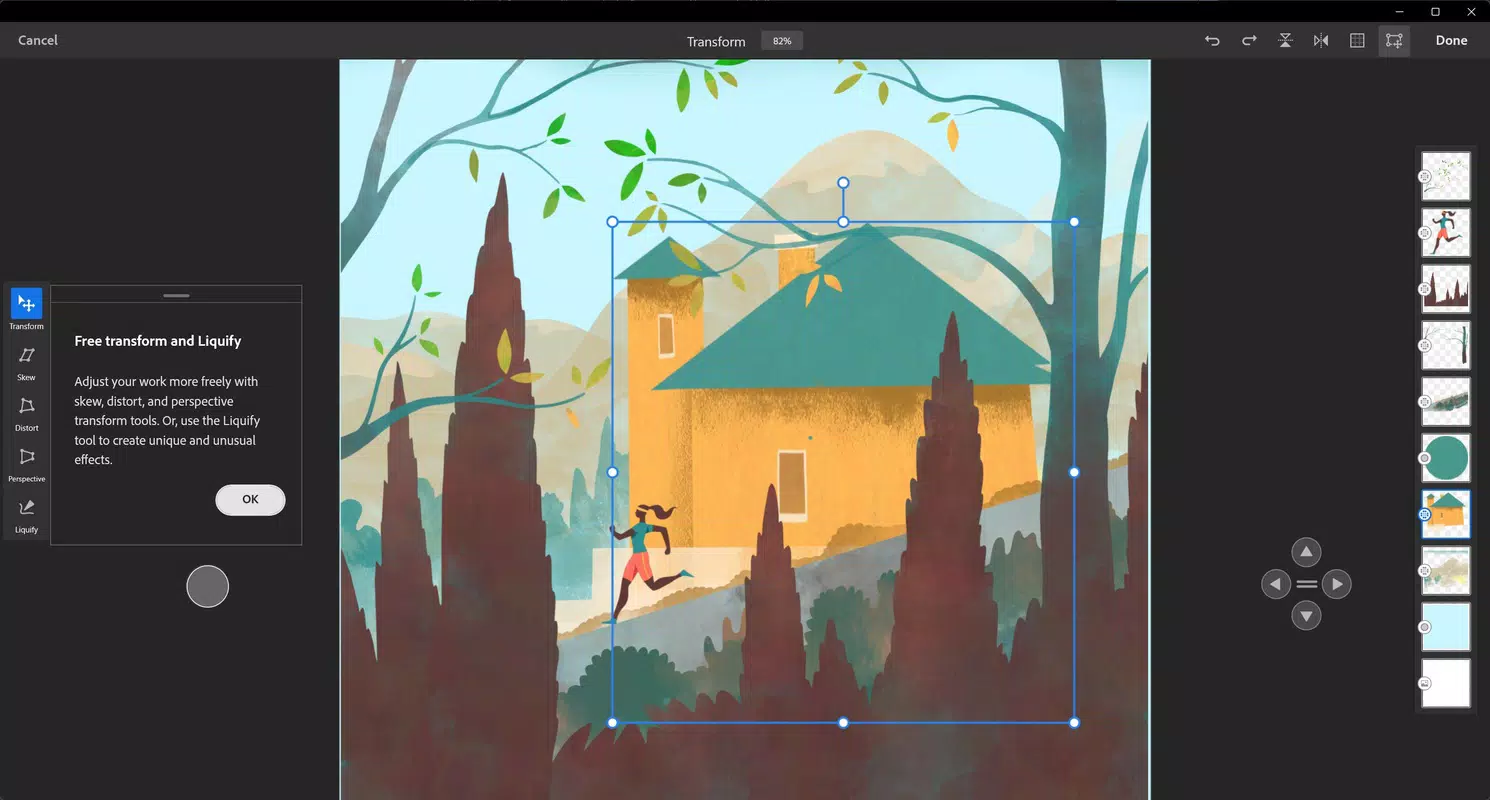
- Professional Precision Tools: Advanced selection and masking capabilities enable detailed edits and non-destructive adjustments. Layer management allows artists to isolate elements, experiment freely, and maintain project integrity. Vector strokes ensure that illustrations remain crisp and scalable, ideal for use in print or digital publishing.
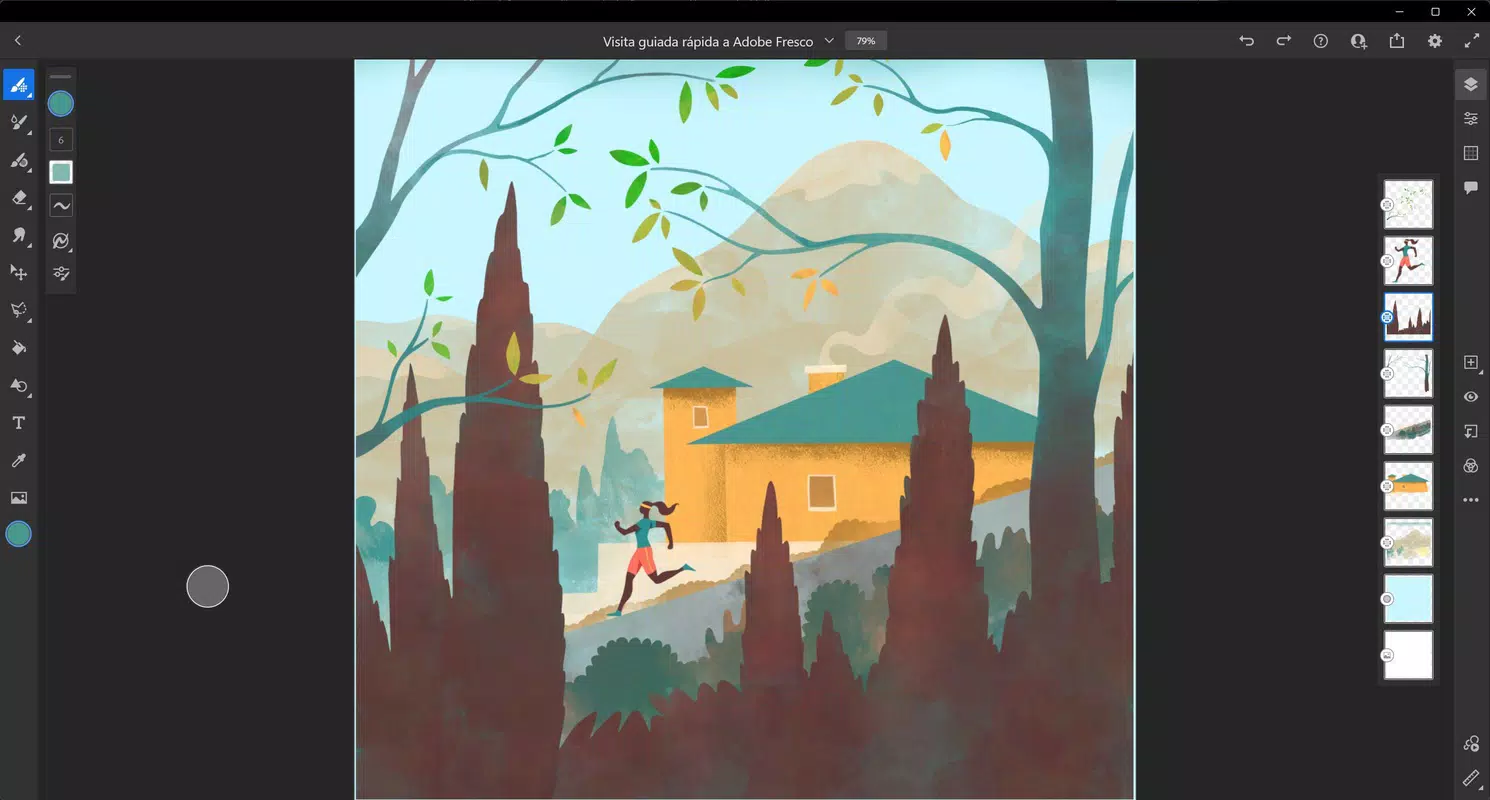
- Intuitive Interface Design: The app organizes essential tools in a left-side menu and places layer controls on the right, creating a clean, distraction-free workspace. This layout supports rapid access to brushes, erasers, shapes, and transformation tools, streamlining the creative process and reducing cognitive load during extended sessions.
- Seamless Cross-Device Workflow: Adobe Fresco integrates directly with Adobe Creative Cloud, allowing users to start a project on a tablet and continue editing on a desktop using Photoshop or Illustrator. This ensures consistent file quality and format compatibility across platforms, enhancing productivity for multi-device users.
- Learning Resources & Tutorials: The app includes step-by-step guides and instructional content tailored for beginners. Additionally, users gain access to exclusive live streams and masterclasses from professional artists, fostering skill development and community engagement.
Interface, UX & Performance
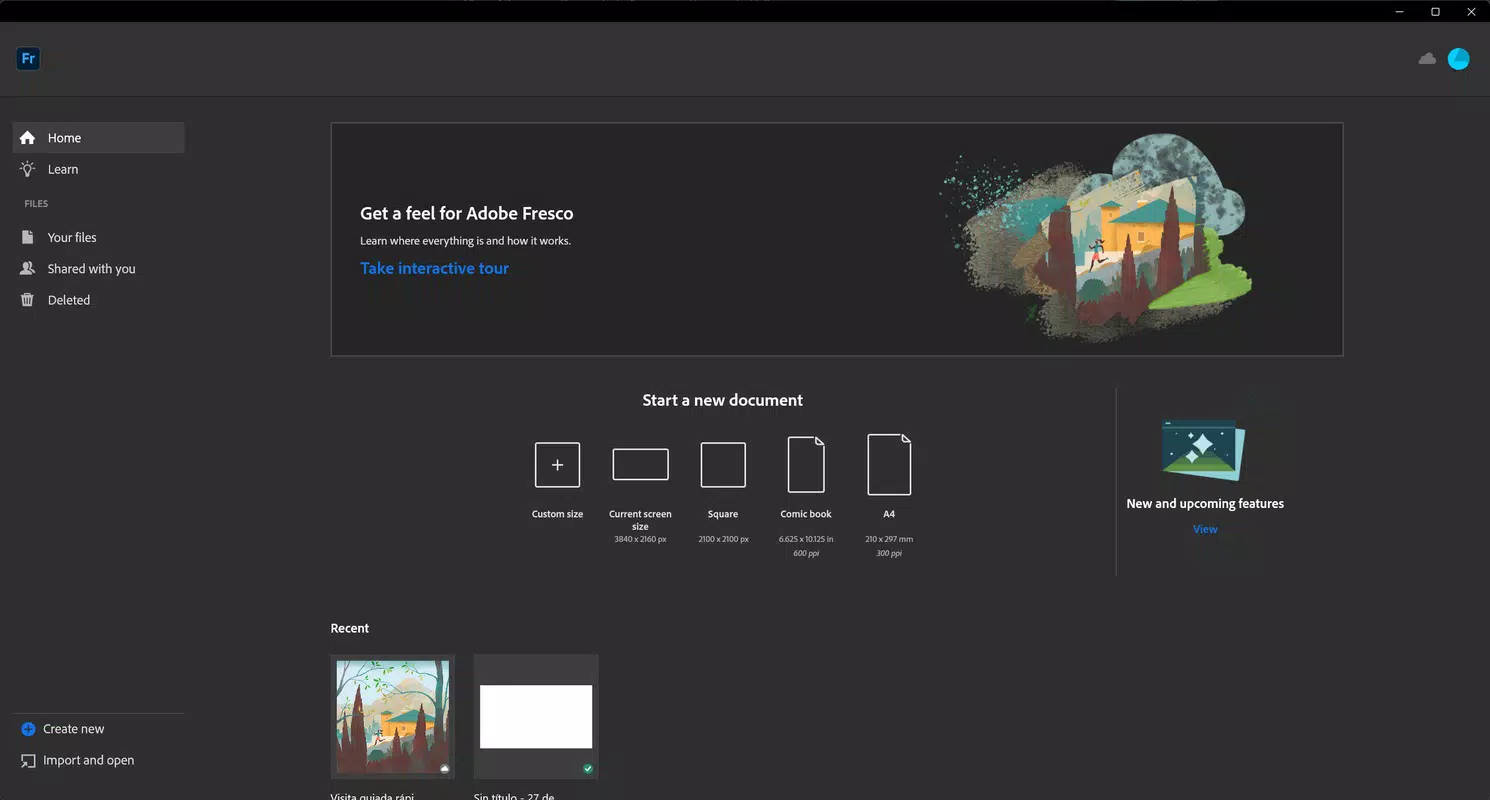
Adobe Fresco features a clean, modern interface with a well-structured layout that prioritizes usability and creative focus. The left-side toolbar provides immediate access to core tools, while the right-side panel manages layers, opacity, and blending modes. Navigation is intuitive, with minimal onboarding friction, making it accessible to new users without sacrificing depth for professionals.
The app supports stylus input for precise control, offering responsive feedback that mimics the tactile experience of physical drawing. Although the developer did not list formal performance metrics, the app’s smooth rendering and low latency suggest optimized performance across a range of devices. Responsiveness remains consistent during complex operations such as layer manipulation and brush stroke playback.
Stability appears strong, with minimal reported crashes or freezes during typical use. The app maintains efficient memory usage, even when handling large canvases or multiple layers. Users can expect reliable performance on mid-to-high-end smartphones and tablets, though specific hardware requirements were not disclosed.
Platform Compatibility & Technical Requirements
Adobe Fresco is available on both Android and iOS platforms, ensuring broad accessibility for mobile artists. The current version is 2024.1.1, with a file size of 400.2 MB. The app is designed to run on devices that support modern touch input and stylus functionality, though the developer did not specify minimum OS requirements or device compatibility details.
Users are advised to ensure their device meets the system standards required for smooth operation. The app’s size reflects its rich feature set, including high-resolution brush assets and integrated cloud services. For optimal performance, users should have sufficient storage space and a stable internet connection to leverage Creative Cloud integration.
The developer did not provide additional technical specifications or hardware recommendations.
Pros and Cons
Pros
- Realistic brush simulation for oil and watercolor effects
- Seamless integration with Adobe Creative Cloud
- Intuitive, professional-grade interface with clean layout
- Supports vector and raster layers for versatile artwork
- Comprehensive learning resources for beginners
Cons
- File size is relatively large at 400.2 MB
- Specific device compatibility details not disclosed
- Advanced features may require a learning curve for absolute beginners
- Requires a stable internet connection for full Creative Cloud functionality
- Some tools may not be fully optimized for lower-end devices
FAQ
Is Adobe Fresco free to download and use?
Yes, Adobe Fresco is available at no cost. However, some advanced features may require an Adobe Creative Cloud subscription for full access.
Can I use Adobe Fresco on both Android and iOS?
Yes, Adobe Fresco is compatible with both Android and iOS devices, allowing users to access their projects across platforms.
Does Adobe Fresco support stylus input?
Yes, the app is optimized for use with digital pens and styluses, providing pressure sensitivity and responsive drawing capabilities.
How does Adobe Fresco integrate with other Adobe apps?
Adobe Fresco syncs seamlessly with Adobe Creative Cloud, enabling users to open, edit, and export files directly to Photoshop, Illustrator, and other Creative Cloud applications.
Is Adobe Fresco secure to download and install?
Yes, Adobe Fresco is a legitimate app developed by Adobe. It can be safely downloaded from official app stores such as Google Play and the Apple App Store.
Final Thoughts
Adobe Fresco delivers a powerful, professional-grade experience for digital artists seeking a mobile solution that matches the precision and creativity of traditional media. Its realistic brush dynamics, intuitive interface, and deep Creative Cloud integration make it an essential tool for both beginners and experts. The app excels in usability, performance, and cross-device flexibility, positioning it as a top-tier utility in the mobile productivity landscape.
Artists who value authenticity, precision, and seamless workflow will find immense value in this application. Whether you're sketching concepts on the go or refining detailed illustrations, Adobe Fresco provides the tools to bring your vision to life. Download Adobe Fresco now


